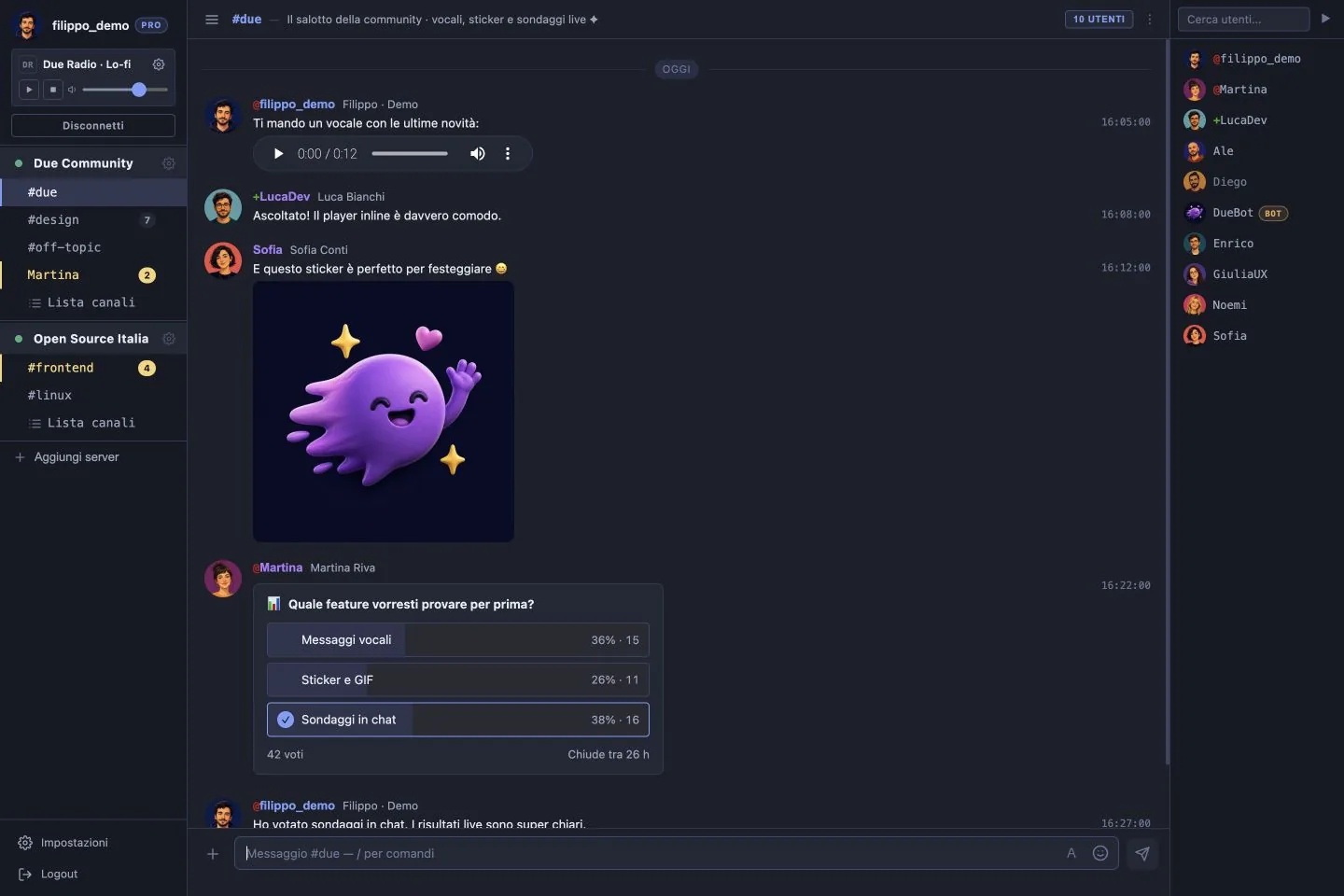
A face next to the nickname
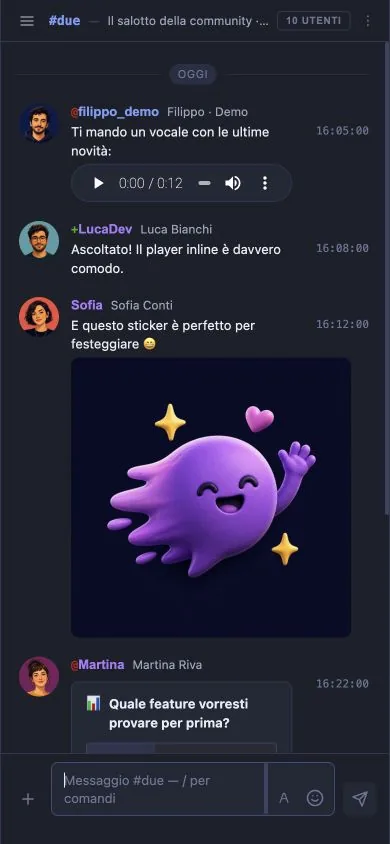
Everyone can have an avatar, so you recognise who is writing and not just a nickname string. It travels over IRCv3 extensions: anyone on a classic client keeps seeing the same plain messages.
Due is an IRC client you open in your browser: nothing to install, the same IRC networks you already use. Avatars, voice messages, GIFs, polls and a shared radio — and when you come back, the conversation is still where you left it.
Works with any IRC network: Libera.Chat, Azzurra, Orixon, SimosNap, IRCnet, Rizon, EFnet, or your own group's server. Host, port, TLS, SASL and NickServ are yours to set, exactly as in any other client.
IRC is fast, open, owned by nobody, and its communities have been standing for thirty years. The protocol was never the problem: the problem was that staying there meant giving up things we take for granted everywhere else. A face next to a name. A ten-second voice note instead of ten lines. A conversation that waits for you instead of being lost.
Due is an IRC client that adds that missing piece and touches nothing else: networks, channels, nicknames and private messages stay the ones you know.
Everyone can have an avatar, so you recognise who is writing and not just a nickname string. It travels over IRCv3 extensions: anyone on a classic client keeps seeing the same plain messages.
Record it, send it, the channel listens. Some things take ten seconds to say and ten lines to write.
Search for a GIF without leaving the chat, drop an image and it shows up in the channel. Not everything fits in a line of text.
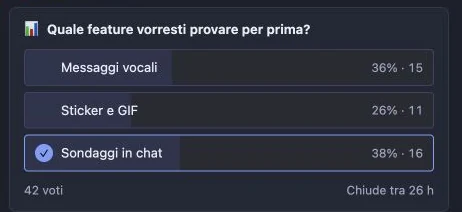
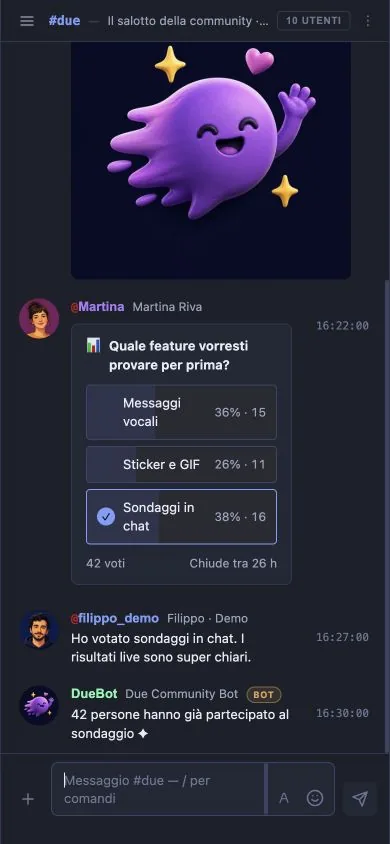
Open a poll instead of counting +1s by hand. And people in the channel who don't use Due can still vote, from a link in their browser.
Pick a stream and the community gets its own soundtrack, without switching tabs.
Each network with its own nickname, channels and history. Move between them without reconnecting and without losing the thread.
Write the question, add the options, and the votes land inside the channel as people cast them. No parallel threads, no counting by hand.
Anyone on a traditional client gets a link and votes from the browser: nobody is left out of the decision.
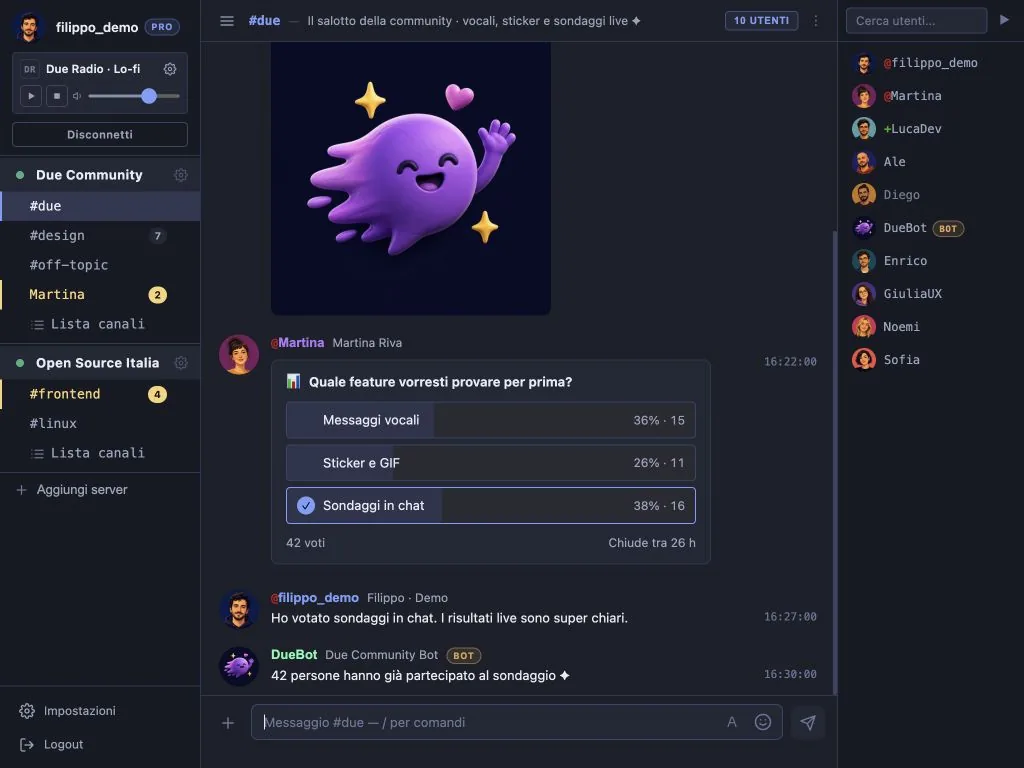
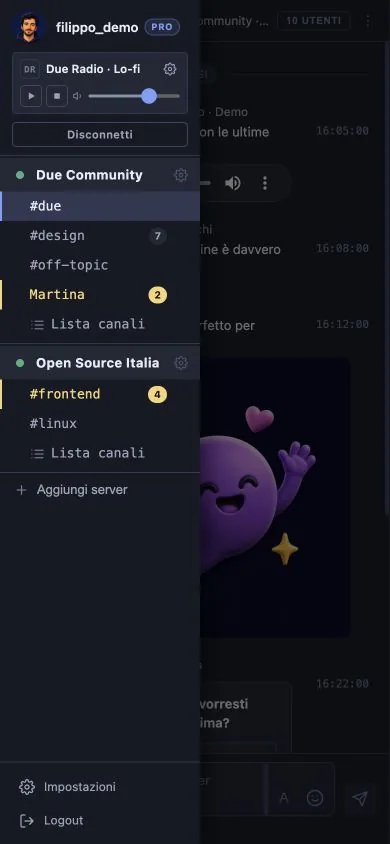
Same chat, same channels, same features: only the available space changes. Add it to your home screen and it opens like an app.
It's the same account: what you read here counts as read on your computer too.
Close the browser, switch device, come back tomorrow: Due stays connected on your behalf. When you return you find how many messages arrived, who mentioned you, and the exact line to pick up from.
On IRC this usually takes a bouncer: a ZNC on a server of your own, to install, configure and keep alive. Here it is already inside, and there is nothing to switch on.
Same account on desktop and phone: what you read on one counts as read on the other.
Due is not a network: it is the IRC client. The channels, the people and the rules stay those of the network you already visit — we only provide the window you look through.
You set host, port and TLS as you would anywhere else, authenticate your nickname with SASL or NickServ, and you are back in your channels. These are the most used networks, but any server that speaks IRC will do:
Up to five networks open at once, each with its own nickname and its own history, in the same window.
| Due | mIRC, HexChat, WeeChat… | Classic webchats | |
|---|---|---|---|
| Installation | None, just open the browser | Download and configure | None |
| While you're away | Stays connected, nothing lost | You lose messages, or you need a bouncer (ZNC) | You lose messages |
| History | On the server, same everywhere | Only logs on the computer running the client | None |
| Avatars | Yes | No | Almost never |
| Voice notes, GIFs, images | Yes | No | No |
| Polls | Yes, and non-Due users vote too | No | No |
| On a phone | Installs as an app | Awkward, where it exists | Barely usable |
| IRC networks | Any, up to five at once | Any | Usually one, fixed |
It exists for one reason: it is what lets Due stay connected while you are away and hand the conversation back to you when you return.
Host, port, TLS and — if you use it — the SASL or NickServ login. If your network is one of the ready-made ones, pick it from a list and the fields fill themselves in.
Type /join #channel as you always have, or browse the network's channel list. From then on Due remembers them and reopens them for you.
We are fixing Due together with the first people and the first communities who decided to try it. Everyone who joins now gets the premium plan for the whole beta.
Some things will still shift under your feet. In exchange, what you say weighs a great deal on what comes next.
No. Due opens in any browser, on a computer or a phone: there is no mIRC, HexChat or other client to download. You can add it to your home screen as an app, but that is a convenience, not a requirement.
Any IRC network: Libera.Chat, Azzurra, Orixon, SimosNap, IRCnet, Rizon, EFnet, OFTC, Undernet, QuakeNet or a private group's server. You set host, port, TLS and authentication (SASL or NickServ) as you would in a traditional client, and you can keep up to five open at once.
Yes, an account is required, and that is the difference that matters. A webchat with no sign-up keeps you connected only while the tab is open: close it and you are out, and the messages that arrived meanwhile are gone. The account is what lets Due stay connected for you, keep the history and hand it back to you on your phone.
No. A bouncer is a program that stays connected to IRC while your client is closed, and it has to be installed and maintained on a server of your own. Due does the same thing without you setting anything up: the IRC session lives on our server, and the messages that arrived while you were away are waiting for you.
Ordinary messages. The extra features travel over IRCv3 extensions, so anyone on a classic client reads the same plain text; polls reach them as a link they can still vote from.
Yes. Due stays connected on your behalf and keeps the conversation: when you return you find how many messages arrived and where to pick up from.
Yes. The interface is built for small screens too, and it adds to your home screen like an app.
Nothing during the beta, and everyone taking part has the premium plan for its whole duration. How it works afterwards is something we will decide later: today we ask for no payment and no card.
On a server of ours, because that is the only way to hand them back when you return. History lasts three days on standard accounts and seven on premium ones — so, during the beta, seven for everybody. The passwords of your IRC networks are encrypted, and the rest is written in the privacy policy.
Of course. Due is an IRC client like they are, not a separate network: keep your usual client on your computer and open Due when you are somewhere else. Same network, same channels, same nickname — only where you connect from changes.
IRC (Internet Relay Chat) is a chat protocol from 1988, still alive: independent networks made of public channels that anyone can open, with no company owning them. Being on an IRC chat takes two things, a client and a network: Due is the client, the network is your choice.
No, the code is not public. But underneath there are IRC and IRCv3, which are open standards: your networks and your channels stay yours, and there is no lock-in.